Meet the Google Assistant Agent: Your AI-Powered Productivity Companion

Managing emails, meetings, and contacts shouldn’t feel like a full-time job. The Google Assistant Agent brings intelligent automation to your daily workflow by seamlessly connecting Gmail, Google Calendar, and Google Contacts into a single conversational experience.
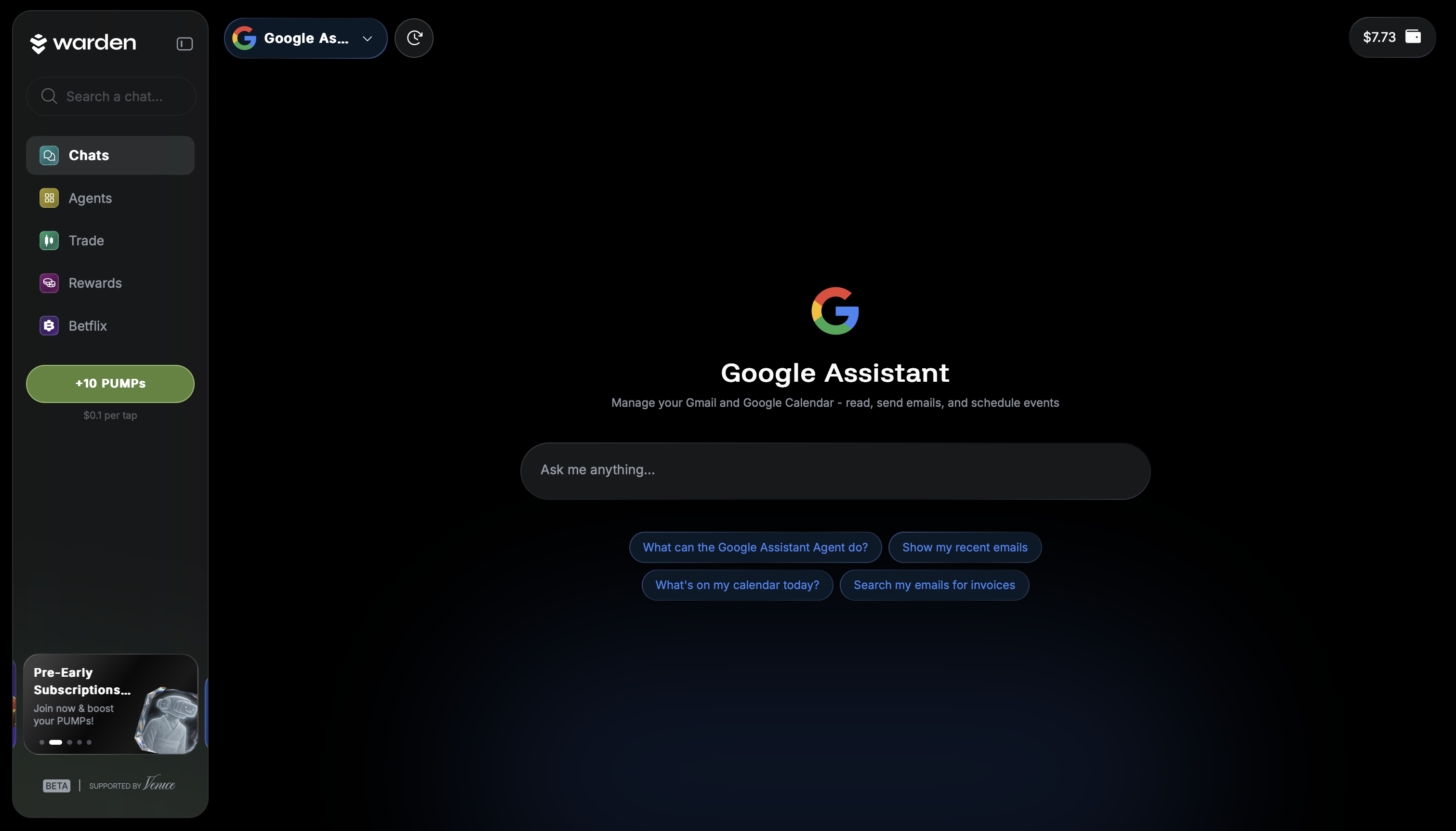
Built for speed, clarity, and control, the agent lets you manage your Google workspace using natural language — turning everyday tasks into simple, intuitive commands.
👉 Available in the Agent Hub
⚠ The Google Assistant Agent is currently not verified by Google. While it is fully functional for connected users, Google’s app verification process is still in progress. Until verification is complete, availability may be limited and subject to change.
Productivity, Unified
The Google Assistant Agent eliminates context switching. Instead of jumping between inboxes, calendars, and contact lists, you can simply ask.
From checking what meetings you have left today to sending emails or scheduling calls, the agent acts as a real-time productivity layer on top of your Google tools. Everything happens in one place, guided by AI that understands both your intent and your schedule.
What Makes It Powerful?
Unlike traditional assistants that rely on rigid commands, the Google Assistant Agent is built to understand context, timing, and relationships across your tools.
1. Intelligent Email Management
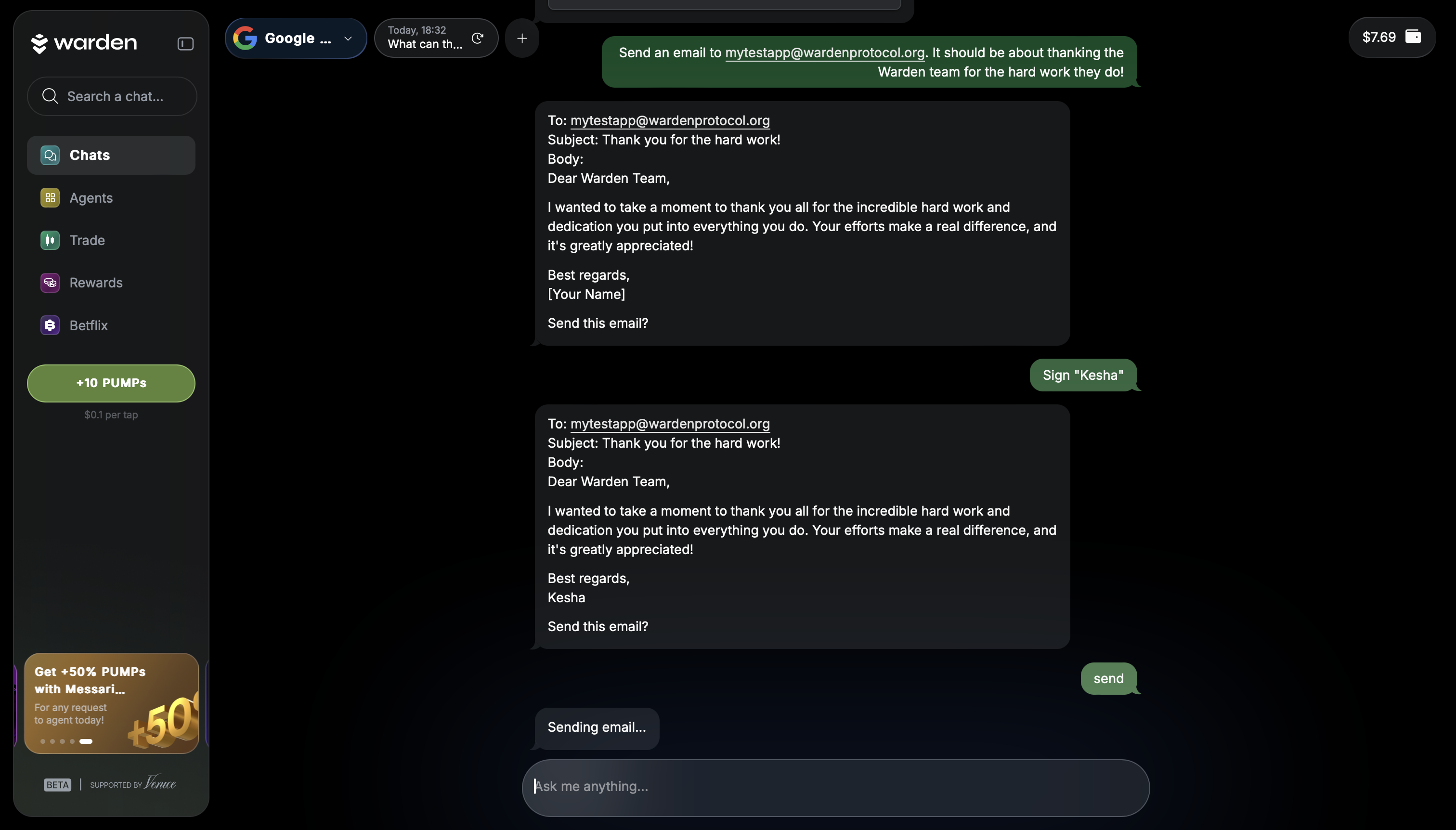 Search, read, and send emails using natural language. The agent understands advanced filters like sender, subject, dates, unread status, and attachments — without forcing you to remember exact syntax.
You can ask things like:
“Show me unread emails from the last two days”
“Search for emails about the budget”
“Send an email to Jane about the project update”
It also resolves contact names automatically, so you don’t need to remember email addresses.
2. Smart Calendar Control
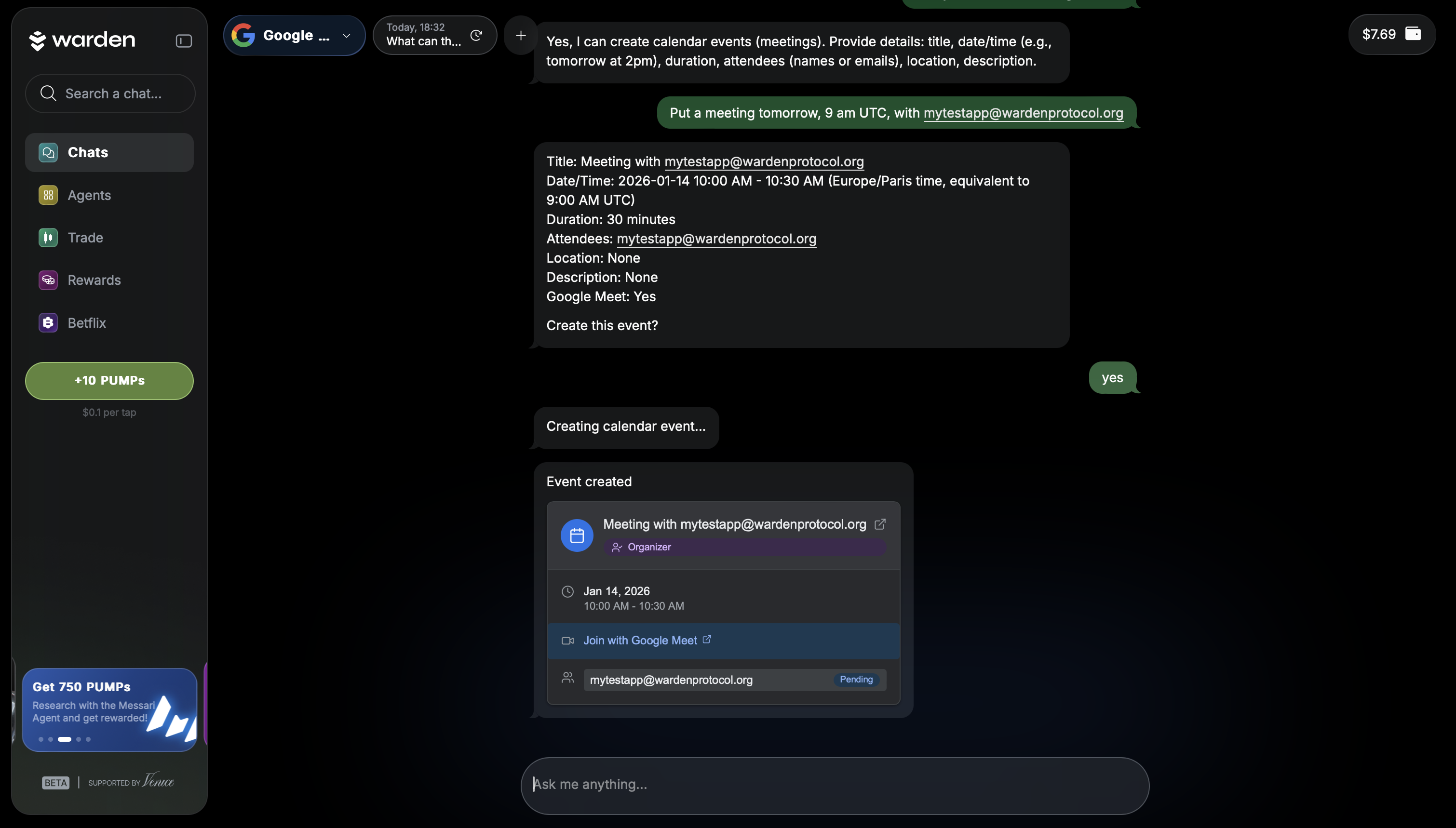
Your calendar becomes fully conversational. The agent can list events, search by keywords, show details, and track responses — all while understanding time the way humans do.
It handles phrases like:
“Today”
“What’s left today”
“Next Monday”
“The rest of the week”
You can create, update, or reschedule events, accept or decline invites, and manage meeting details with ease.
3. Smart Scheduling That Thinks Ahead
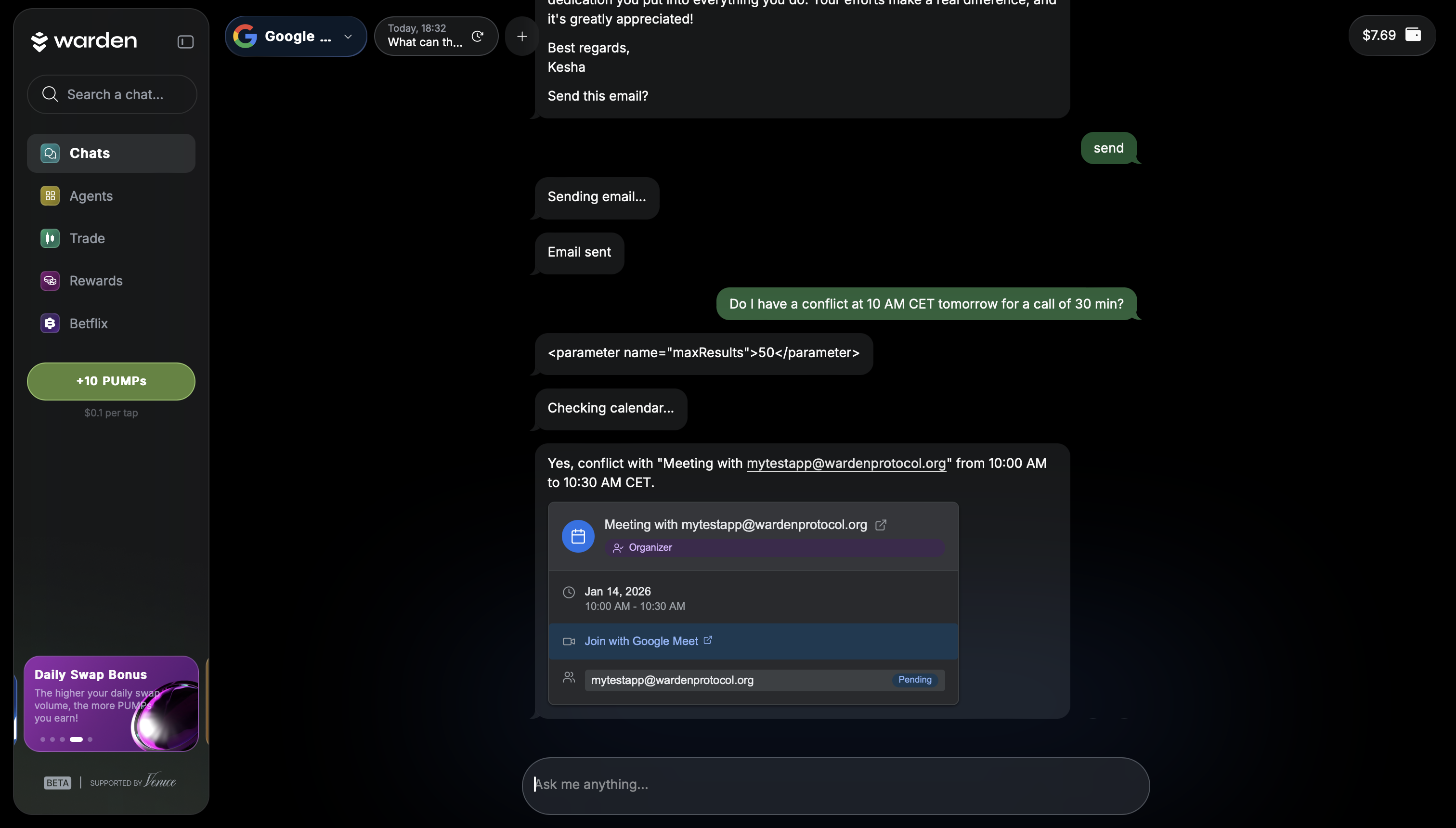 Scheduling meetings is where the agent truly shines.
When you don’t specify a time, it:
Checks your availability
Analyzes conflicts
Suggests optimal time slots
Considers attendee availability
Adapts to your working hours and preferred meeting length
Instead of back-and-forth coordination, you get clear, actionable suggestions instantly.
4. Built-In Google Meet Automation
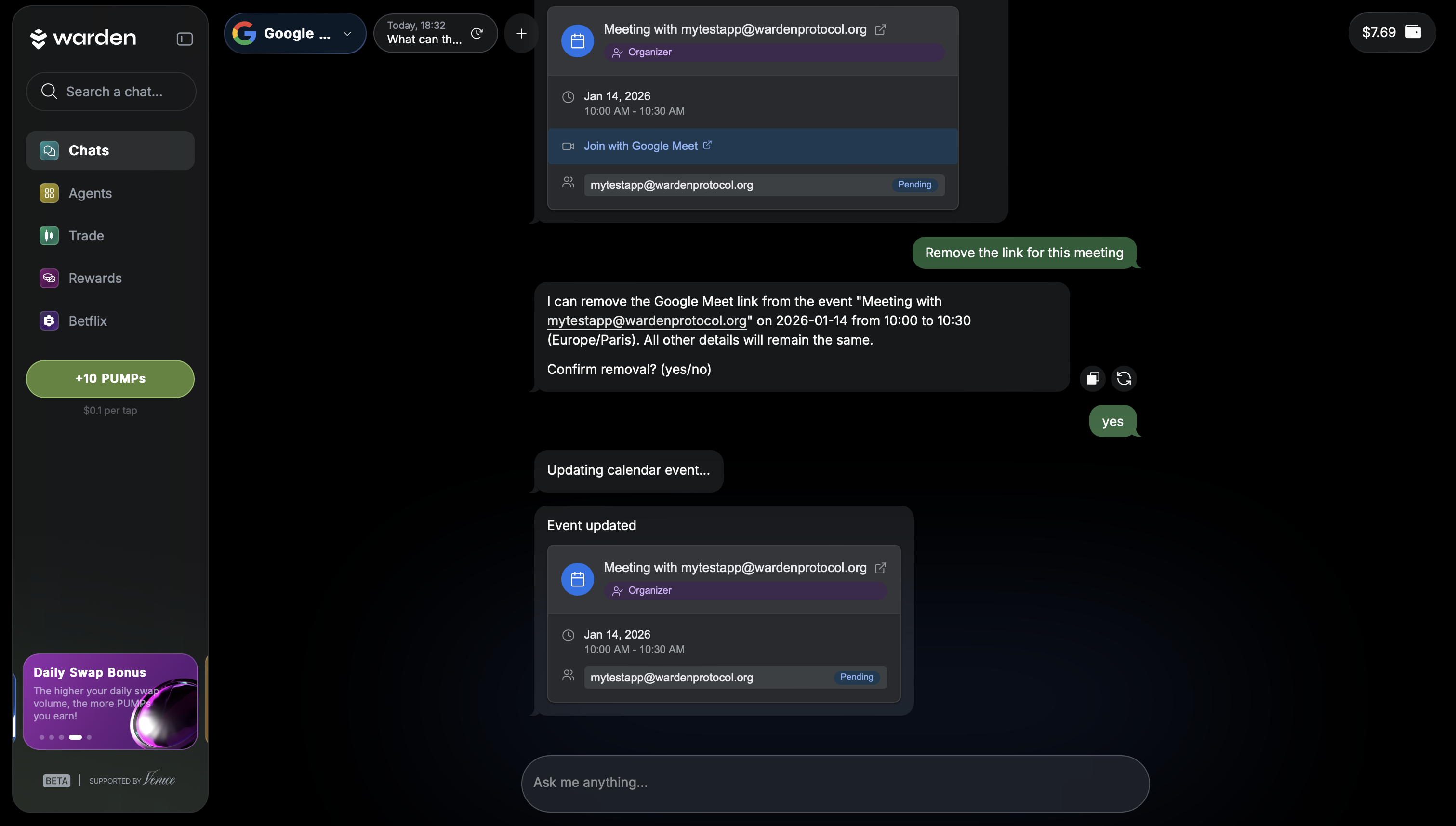 Every meeting just works.
The agent automatically:
Generates Google Meet links for new events
Adds Meet links to existing meetings
Displays join links in confirmations
Removes links when no longer needed
No extra steps. No forgotten links.
5. Contact-Aware Conversations
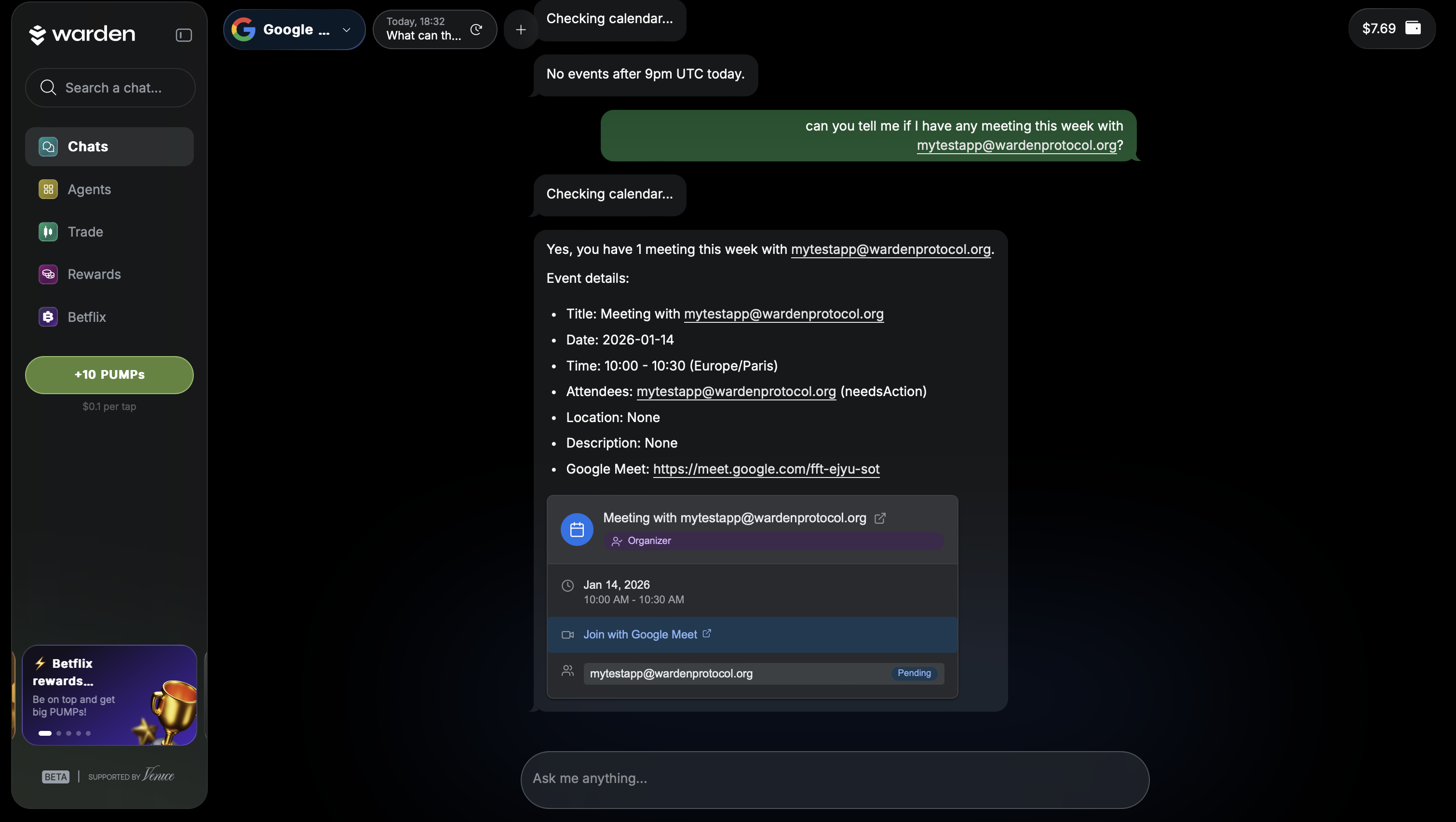 When you say “email John” or “schedule a meeting with Jane,” the agent searches your contacts, resolves matches, and gracefully handles duplicates by asking for clarification.
This contact awareness carries across email and calendar actions, creating a smooth, human-like experience.
Ask Once, Get Everything
The Google Assistant Agent supports combined, cross-service questions, allowing you to get a complete picture at a glance.
Examples include:
“What meetings do I have today and any emails from John?”
“Any events left today and important emails?”
“Schedule a meeting with Jane on Monday”
The agent coordinates multiple tools behind the scenes to deliver one clear response.
Built with Privacy and Control in Mind
Security is not an afterthought.
Access is granted through user-controlled authorization
Permissions are granular and transparent
You can connect or disconnect your account at any time
Access automatically expires and requires renewal
Write actions always require explicit permission
You stay in full control of what the agent can — and cannot — do.
Designed for Everyday Use
The Google Assistant Agent lives directly inside Warden’s Agent Hub and integrates seamlessly into chat.
Clear connection prompts when not connected
Visibility into granted permissions
Helpful guidance when additional access is needed
Clean, minimal UI that matches the rest of the platform
It’s built to feel natural, not technical.
Real-World Use Cases
Personal Assistant
“What meetings do I need to respond to?”
“What’s on my calendar for the rest of the week?”
Smart Scheduling
“When is everyone free on Monday afternoon?”
“Reschedule my 2pm meeting to 3pm”
Email Management
“Show me unread emails from the last two days”
“Send a follow-up email to Sarah”
Calendar Management
“Accept the meeting invite from Mark”
“Do I have any conflicts on Wednesday?”
The Future of AI Productivity
The Google Assistant Agent is part of Warden’s broader vision: intelligent agents that remove friction from everyday digital life.
By combining natural language, smart scheduling, and permission-aware automation, it transforms how you interact with your tools — not by adding complexity, but by removing it.
This isn’t just a smarter assistant. It’s productivity that finally works at human speed.
👉 Explore it now in the Agent Hub
⚠ The Google Assistant Agent is currently not verified by Google. While it is fully functional for connected users, Google’s app verification process is still in progress. Until verification is complete, availability may be limited and subject to change.