Warden MCP: Let Your Agent Trade Inside Limits You Set
Main Takeaways
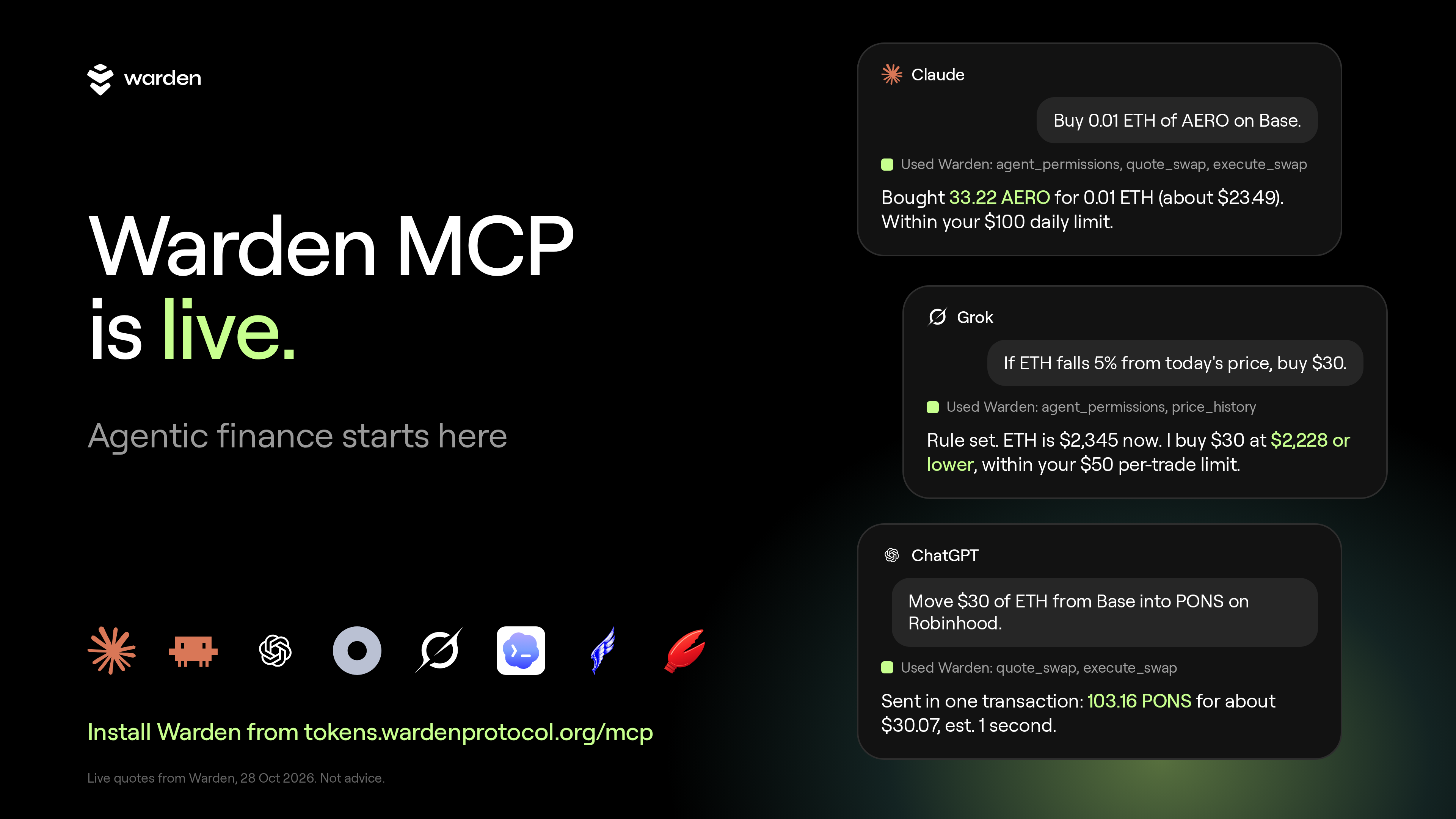
Warden MCP connects AI apps such as Claude, ChatGPT and Grok to Warden Token Terminal on Base, BNB Chain, Robinhood Chain and Arc.
Market lookups need no account. Prepared trades wait for your signature. Hands-free trading is a separate switch that only you turn on.
You set a daily budget and a per-trade cap. Warden's server checks every trade against them, and sessions end on their own.
Ready to try it? Add Warden MCP.
Why your agent needs a trading tool
AI apps answer questions about markets. Acting on the answer means leaving the chat. MCP is a standard way to connect an AI app to outside tools. Warden built the connector for Token Terminal, so the chat that finds a token can price a trade and, if you allow it, make it.
You stay in charge of the rules. Warden checks every trade against the limits you set, outside the chat.
What can my agent do with Warden MCP?
Warden MCP gives your agent three levels of access, and you choose how far it goes. On the lowest level it only looks at the market. On the next it prepares trades that you sign. On the highest it trades by itself, inside your limits, for as long as a session you start stays open.
Look. No account needed. Your agent finds trending tokens, searches by name, checks a price and reads charts. It cannot touch your wallet.
Draft. Your agent builds the trade and gives you a link. You check it in Warden and sign. Nothing happens until you do.
Trade. You start a hands-free session. Until it ends, your agent trades on its own, inside your budget and your cap.
Drafting is not autopilot. Hands-free is a separate switch, and only you can turn it on.
How do I add Warden MCP to Claude?
In the Claude app you add Warden as a custom connector, sign in once on a Warden page and press Allow. Then you open Warden Token Terminal and set what your agent may do and how much it may spend. Market questions work as soon as Warden is switched on, before you set anything up.
In the Claude app, open Customize, then Connectors, then Add custom connector. Name it Warden and paste https://tokens.wardenprotocol.org/mcp.
Click Add, then Connect. Sign in on the Warden page with email, Google or X, and press Allow. In a chat, open the + menu, then Connectors, and switch Warden on.
In Warden Token Terminal, open Portfolio, then the Agents tab. Under What your agent may do, tick Prepare swaps.
For hands-free trading, go to Hands-free trading in the same tab. Pick how long the session lasts: 1 hour, 4 hours, 24 hours, 7 days or 30 days. Press Start hands-free trading and confirm once. Your agent can also send you a one-tap link that starts a session.
Under Spending limits, type an amount Per trade ($) and Per day ($) and press Save limits. The defaults are $1,000 per trade and $5,000 per day. The most you can set is $1,000 per trade and $25,000 per day.
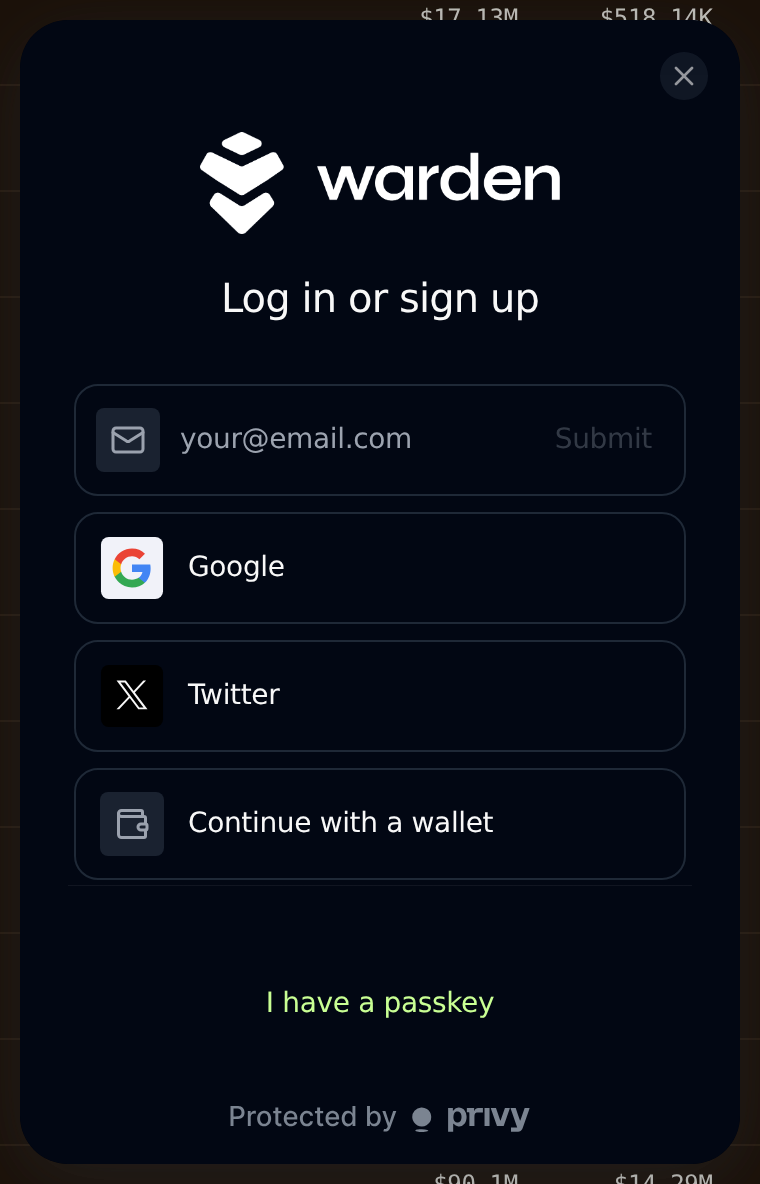
The Warden sign-in options: email, Google, X or your own wallet.
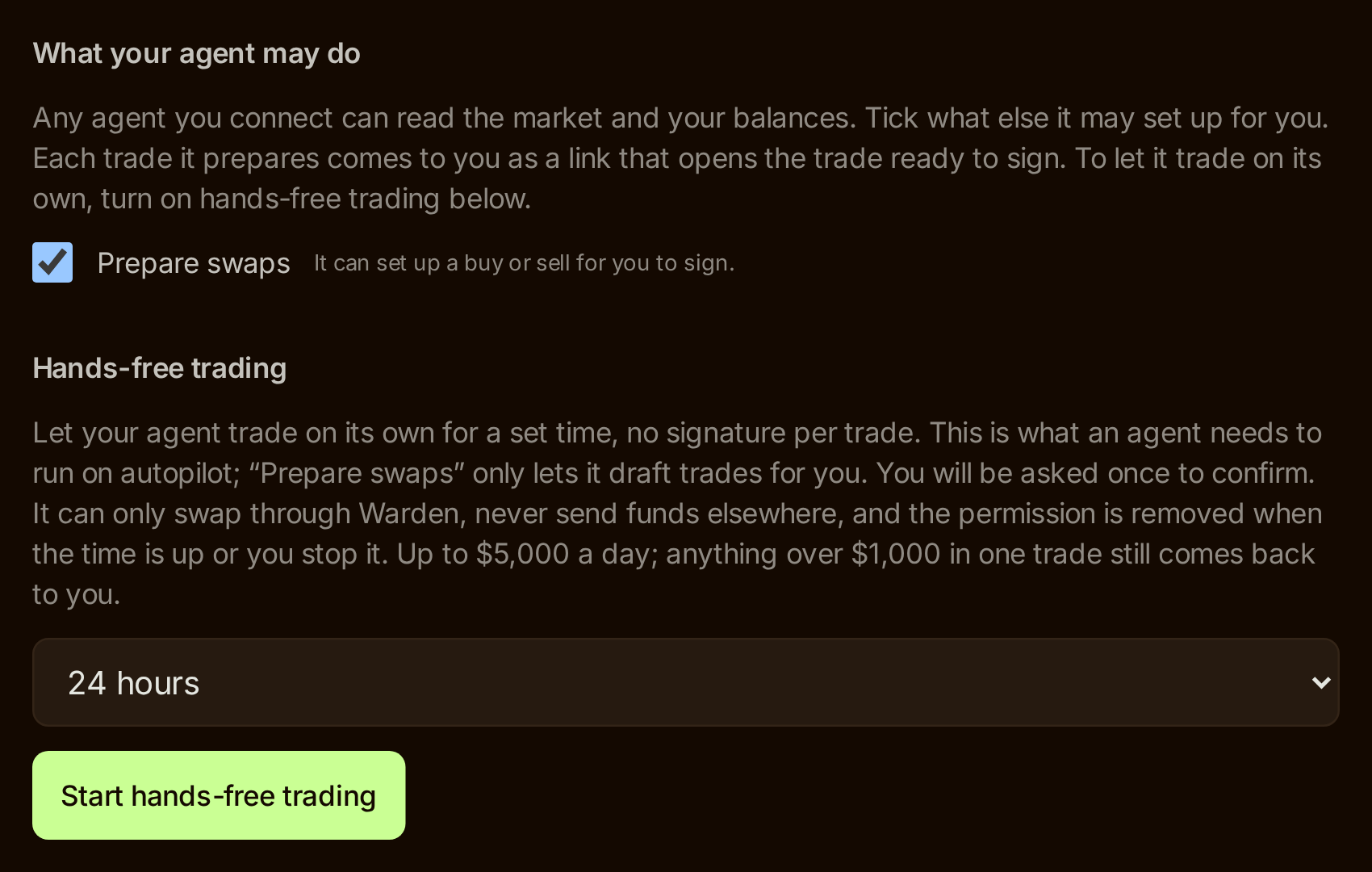
Portfolio, Agents tab: tick Prepare swaps, pick how long the session lasts, then press Start hands-free trading. Example screen with default values, not a live account.
How your wallet works with hands-free trading is explained below.
Using Claude Code, Codex, Hermes or OpenClaw instead? Under Connect your agent in the same tab, name a key, pick how long it lasts and press Create key. Then paste the setup message into your agent. ChatGPT, Dots and Grok sign in with Warden and have their own steps on tokens.wardenprotocol.org/mcp.
Connected? Add Warden MCP from the same page in any other app you use, then ask for one quote.
Which prompts should I try?
Start with questions that cannot spend anything. Market lookups, token checks and quotes only read data, so you can see how your agent answers before you let it prepare a trade. Copy these prompts as they are and paste them into a chat where Warden is switched on.
See the chains.
Which chains can I trade on through Warden, and what is the gas coin and dollar stable on each?You get four chains with their gas coin and dollar stable, and whether gasless sells are available on each.
See what is moving.
What's trending on Base right now, and what's brand new there?Newest tokens are often thin.
Price a trade. Nothing is bought.
Quote 0.1 ETH to USDC on Base.Check a token before you touch it.
Is there a verified WARD token, and on which chains?Tickers are not unique. Warden marks the contracts it has verified, and search flags look-alikes. Re-run on 28 Oct 2026: verified WARD is on Base and BNB Chain, and other contracts called WARD carry a "NOT the verified WARD" warning.
Ask for analysis.
Draw me the RSI line for AERO.Your agent reads the candles and does the maths. Analysis is information, not a signal.
How do I let my agent trade on its own?
Sign in to Warden with email, Google or X and Warden creates a Privy wallet for you. That wallet gives you gasless transactions wherever possible and makes hands-free trading possible. You can top it up easily from your account. Connect your own self-custody wallet instead and you approve each transaction yourself.
To start, open Portfolio, then the Agents tab, pick a session length and press Start hands-free trading. You confirm once. While the session is open, a trade within your limits goes through. A bigger one comes back to you to sign.
Buy something small.
Buy 0.01 ETH of AERO on Base.With a session open, a trade inside your limits goes through on its own. Without one, your agent prepares the trade and you sign it.
Move between chains. Price the route.
Quote 0.05 ETH on Base into PONS on Robinhood Chain.Your agent prices a route from Base to Robinhood Chain. It is one transaction on Base, and the bridge does the rest.
Leave it running.
If ETH falls 5% from today's price, buy $30. Sell it once it is up 8%.The Claude app acts when you message it. For a plan that keeps running while your laptop is closed, use an agent that keeps checking, such as Hermes, OpenClaw or a Dot, plus a session that lasts as long as the plan. Your agent does the watching. Warden runs each trade.
These are examples, not advice. Any trade can lose money.
What are the limits, fees and safeguards?
The limits live in Warden, not in the chat. Under Spending limits you set an amount Per trade and Per day, and Warden checks every trade against them. A bigger trade comes back to you to make in the app. Your agent app never sees your wallet's signing key.
Swaps go through Warden's router only. No tool takes a custom transaction or a target address. Every trade is checked twice: on Warden's server, then again by Privy inside its secure enclave, before it is signed.
The daily budget, the per-trade cap and the session expiry live on Warden's server.
Text inside a token's name or description is only read. It is never followed as an order.
Sessions end on their own. Stop hands-free trading ends one at once. Revoke all keys disconnects your agent completely.
Gasless sells work on Base, BNB Chain and Robinhood Chain, not on Arc.
Warden Token Terminal charges a 0.50% platform fee on trades. Reading blockchain data is free.
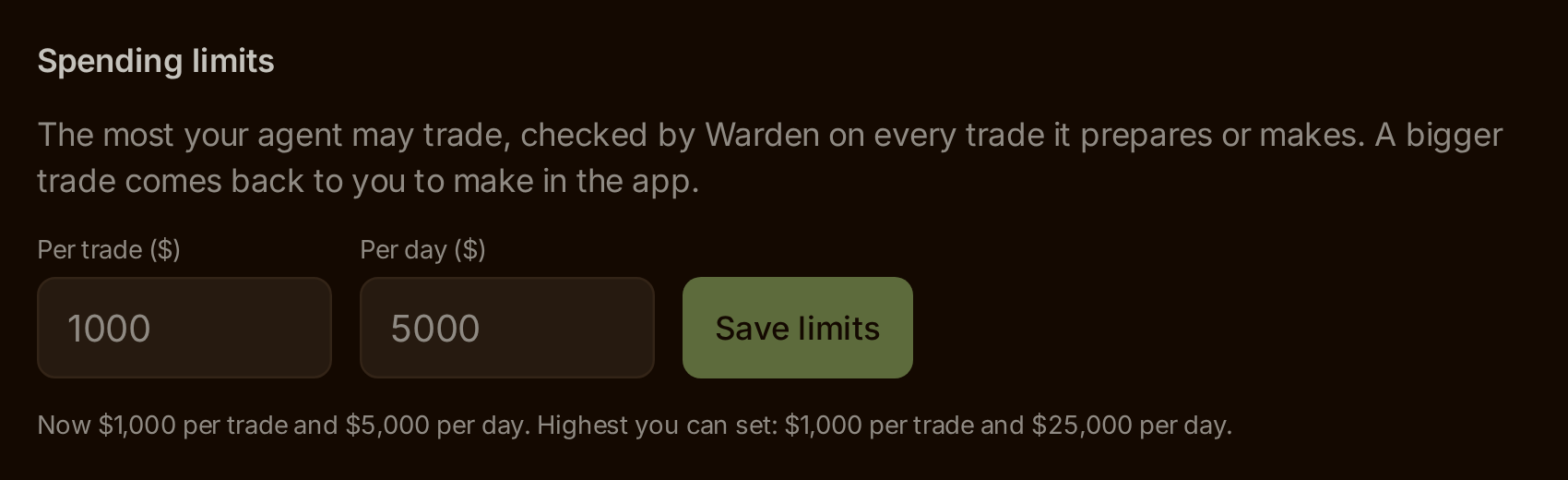
Spending limits: set Per trade and Per day, then press Save limits. Example screen with default values.
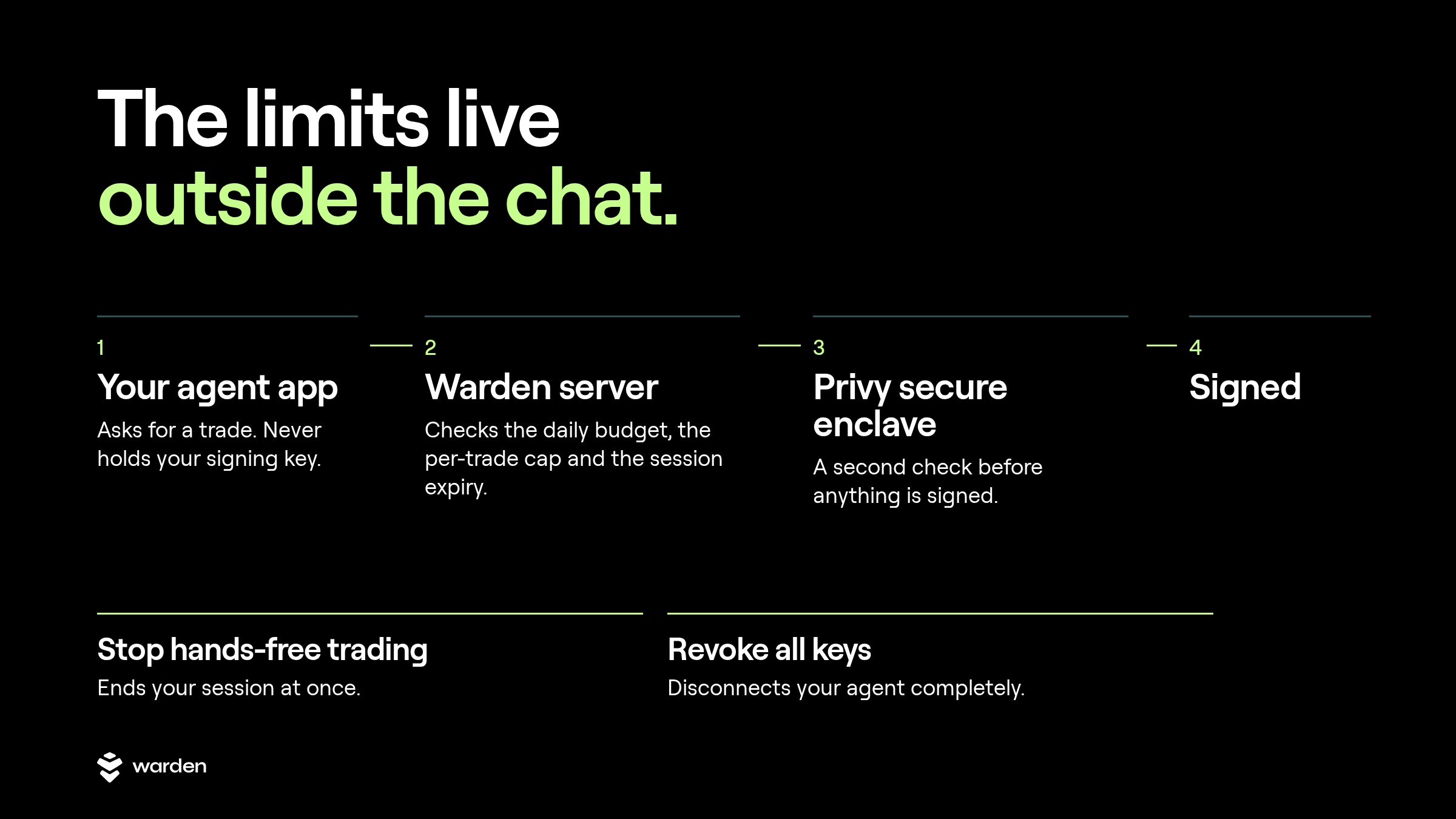
Where the limits live: Warden's server, then Privy's secure enclave, before anything is signed.
FAQ
Do I need an account to use Warden MCP?
No, not to look. Market tools such as the chain list, token search, trending lists, price history and quotes work without any credential. Anything that touches a wallet needs you to sign in to Warden when your agent asks, and you press Allow. Your agent never sees your wallet's signing key.
Can my agent trade without asking me each time?
Yes, if you signed in with email, Google or X. Warden creates a Privy wallet for you, and that wallet makes hands-free trading possible once you start a session yourself, in Portfolio, Agents tab, with Start hands-free trading. With a self-custody wallet you connected, you approve each transaction.
Start hands-free trading is a separate switch from Prepare swaps. You pick the session length when you start it: 1 hour, 4 hours, 24 hours, 7 days or 30 days. You confirm once. Warden checks each trade against your Spending limits, and the session ends on its own.
Which chains and apps does it work with?
Warden MCP covers Base, BNB Chain, Robinhood Chain and Arc through Warden Token Terminal. It works with the Claude app, Claude Code, ChatGPT, Dots, Grok, Codex, Hermes and OpenClaw. Each has its own steps on the Warden MCP page, and market lookups need no sign-in at all.
What does it cost?
Warden Token Terminal charges a 0.50% platform fee on trades. Reading blockchain data costs nothing, and neither do market data, prices and quotes. With gasless on, the network fee comes out of the token you sell instead of your gas coin. Asking for a quote never buys anything.
How do I stop my agent?
Use Stop hands-free trading to end a session at once. Use Revoke all keys to disconnect your agent completely. Sessions also end on their own, so a session you forgot about does not keep running. These controls are in Warden, where the limits live.
Start with one quote
Add Warden to your chat app, ask for a quote, and see how your agent answers before you set any limits. Add Warden MCP.
Building your own agent? The same rules come as an installable skill and the code is warden-mcp on GitHub.
Related:
- Warden Token Terminal is live,
- Earn up to 36% of trading fees on Token Terminal
- WARD enters its revenue era.
Trading crypto is risky. Only trade what you can afford to lose. This is not financial advice.