Warden MCP: Let Your Agent Trade Inside Limits You Set
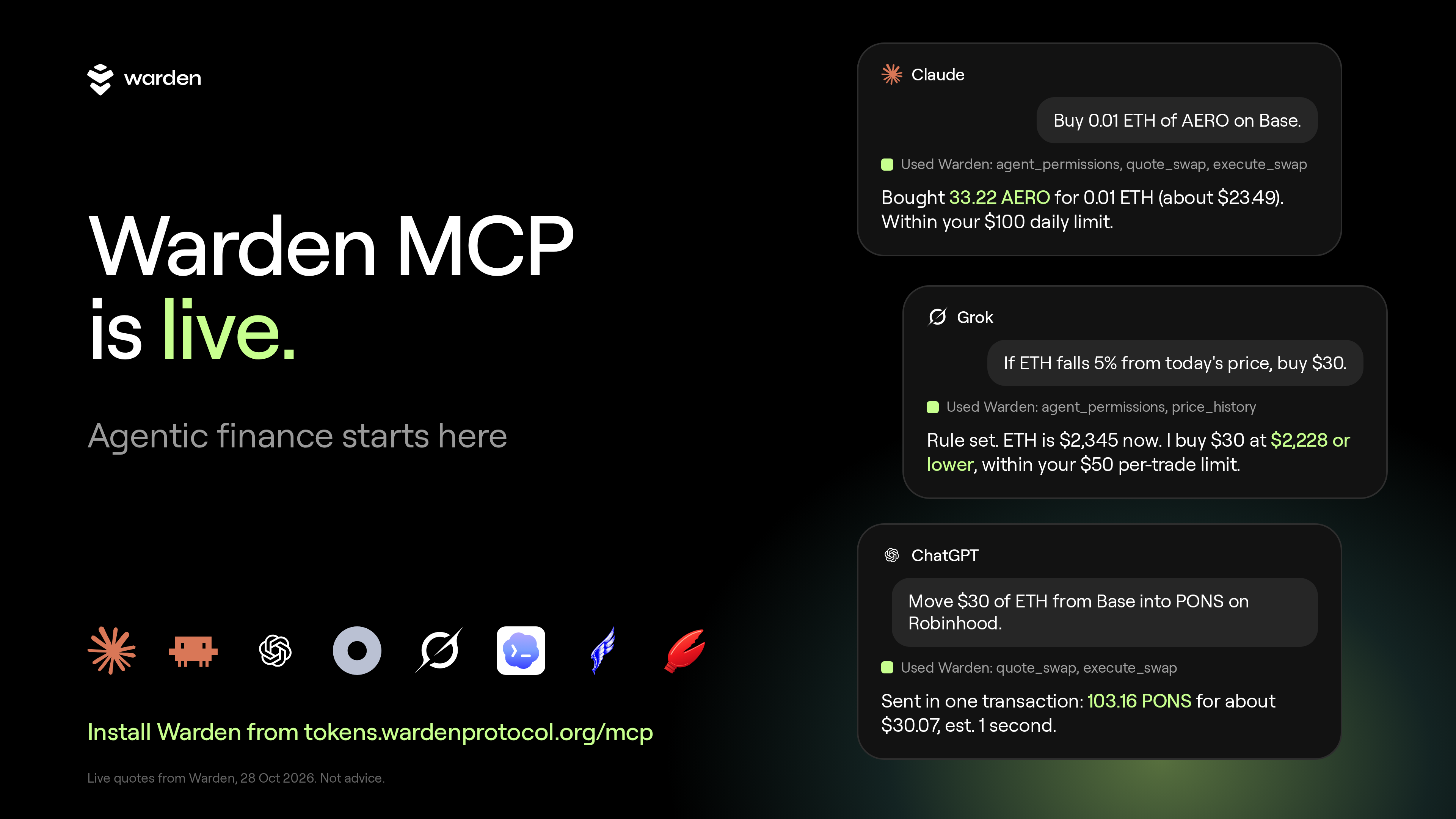
Open Claude. Ask what is trending on Base. Say "buy $20 of that." With Warden MCP, your agent can do it, inside limits you set in Warden.
MCP is a standard way to plug outside tools into an AI app. Warden built the plug for Warden Token Terminal. It covers Base, BNB Chain, Robinhood Chain and Arc.
Two places to click, one sentence to say
In the Claude app, open Customize, then Connectors, then Add custom connector. Name it Warden and paste https://tokens.wardenprotocol.org/mcp. Click Add, then Connect. Sign in on the Warden page and press Allow. In a chat, open the + menu, then Connectors, and switch Warden on.
In Warden Token Terminal, open Portfolio, then Agent access. Allow prepared swaps. Type a daily budget and a per-trade cap, for example $100 a day and $50 a trade.
Start a hands-free session there, or tap the one-tap link your agent sends when it asks for one.
Say one plain sentence.
You type the limits, say $100 a day and $50 a trade. Your agent trades inside them until the session ends. Then it stops.
$100 and $50 are example numbers you type. They are not defaults. Start smaller if you like.
Look first. No account needed
Market questions work as soon as Warden is switched on. Copy these as they are:
Which chains can I trade on through Warden, and what is the gas coin and dollar stable on each?
What's trending on Base right now, and what's brand new there?
Quote 0.1 ETH to USDC on Base.
You get a list, a chain overview or a price. Nothing is bought.
Newest tokens are often thin. Ask for ones with real liquidity, and treat big percent moves on new tokens as noise.
Check a token before you touch it
Tickers are not unique. Many contracts call themselves the same thing. Ask:
Is there a verified WARD token, and on which chains?
Warden marks which contracts it has verified, and search flags look-alikes that only share a ticker. Re-run on 28 Oct 2026: verified WARD is on Base and BNB Chain. Other contracts called WARD on Base carry a "NOT the verified WARD" warning.
Ask for analysis
Your agent reads the candles and does the maths for you.
Draw me the RSI line for AERO.
How has cbBTC done over the last 30 days, and where is it in its range?
Analysis is information, not a signal. Prices move, so ask again when you need a current answer.
Draft a trade. You sign it
Set up a $50 USDC buy of that token. I'll sign it in Warden.
Your agent prepares the trade. You check it in Warden and sign. Nothing happens until you do.
Hands-free is a switch only you turn on
With a session open, your agent can trade on its own, inside your budget and your cap.
Buy $20 of that token now.
No ETH for gas? Sell a token with gasless on. The network fee comes out of the token you sell. Gasless cannot sell the native coin and cannot cross chains.
I have USDC on Base but no ETH. Buy that token anyway.
Moving between chains also runs inside your session. One signature on Base, and the $WARD arrives on BNB Chain, usually within a few minutes.
Move $50 of my Base USDC into WARD on BNB Chain.
These are examples, not advice. Any of them can lose money.
Leave it running with an agent that keeps checking
The Claude app acts when you message it. For a plan that runs while your laptop is closed, use an agent that keeps checking, such as Grok Bot, Hermes, OpenClaw or a Dot, plus a session that lasts as long as the plan. Your agent does the watching. Warden runs each trade.
Every morning, put $25 into the top trending token on Base. Sell anything that moves 10% down or 15% up.
If ETH falls 5% from today's price, buy $30. Sell it once it is up 8%.
These are examples, not advice. Any of them can lose money.
The limits live in Warden, not in the chat
Your agent cannot send raw calldata or pick a target address. Swaps go through Warden's router only.
Every trade is checked on Warden's server, then again by Privy inside its enclave.
The daily budget, the per-trade cap and the session expiry live on Warden's server.
Token names and chat text are data. They are never followed as orders.
The full rules are on the Warden MCP page and in the GitHub repo.
Stop it in one click
Stop hands-free trading ends a session at once. Revoke all keys disconnects your agent.
Warden Token Terminal charges a 0.50% platform fee per trade.
Start here
Claude Code, ChatGPT, Grok, Codex, Hermes, OpenClaw and Dots have their own steps on the same page.
Building your own agent? The same rules come as an installable skill and the code is warden-mcp on GitHub.
Trading crypto is risky. Only trade what you can afford to lose. This is not financial advice.